
One organization can now give every channel, client, show, or billing entity a focused place of its own.
DittoDub often starts with one channel. Then the work grows. A network adds another creator. A studio takes on a new client. A show launches members-only content that needs a separate budget and invoice.
Until now, keeping that work separate meant managing separate accounts and separate logins, or tracking the split by hand. Today, we are introducing Workspaces in DittoDub, a simpler way to run multiple brands inside one organization.
One organization. A place for every channel.
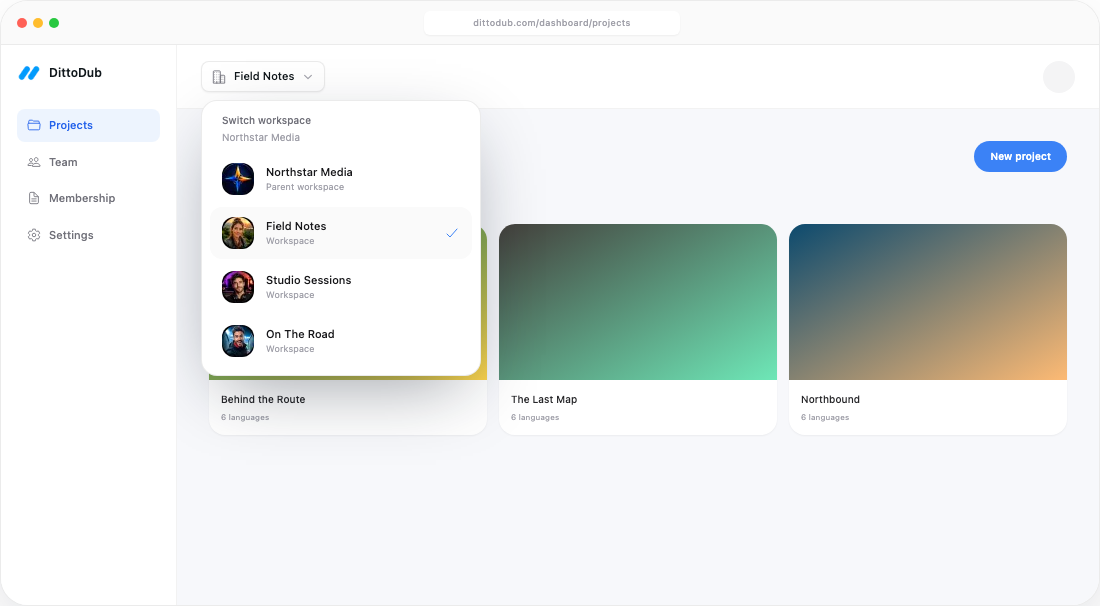
A parent account is the organization-wide home. From there, an admin can create a child workspace for each channel, client, show, content line, or billing entity that needs clean separation.
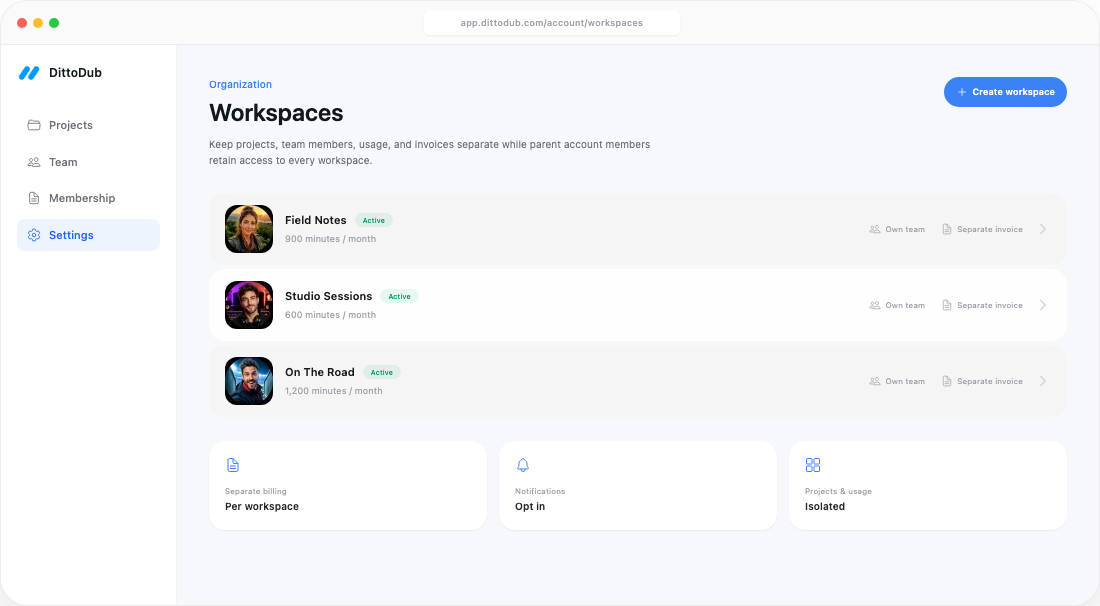
Each workspace has its own projects, team, monthly minutes, usage, subscription, and invoices. Parent-account members can move across the full organization, while people invited directly to a child workspace stay focused on that workspace alone.
How it works
Create the workspace
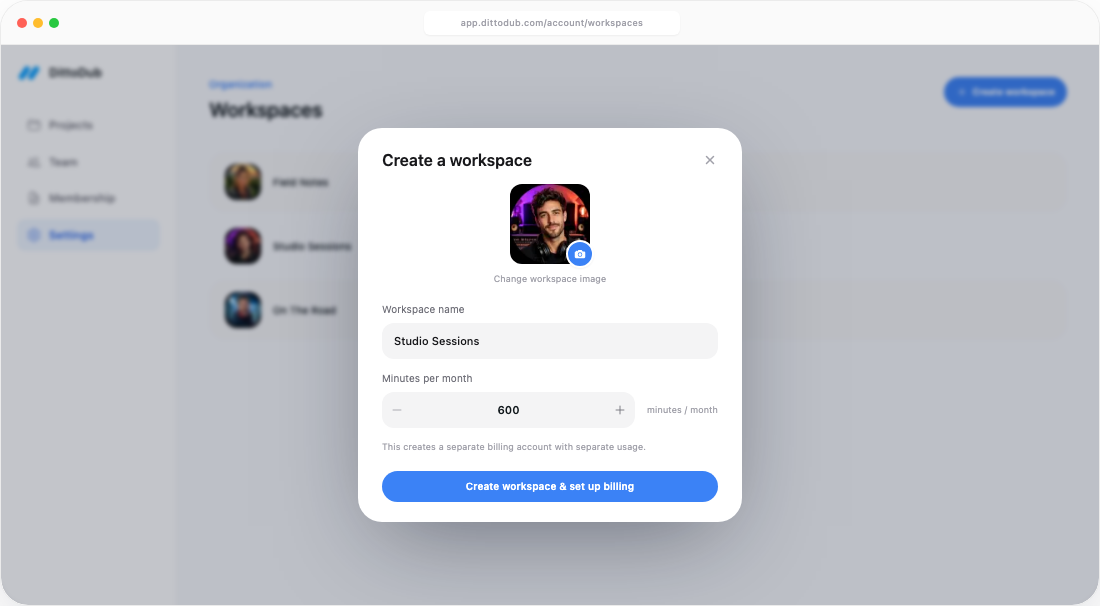
A parent admin chooses a name, image, and monthly minute allowance from the Workspaces page in Account settings.
Set up its billing
Creation continues directly into a separate subscription, so usage and invoices never have to be split manually later.
Invite the right people
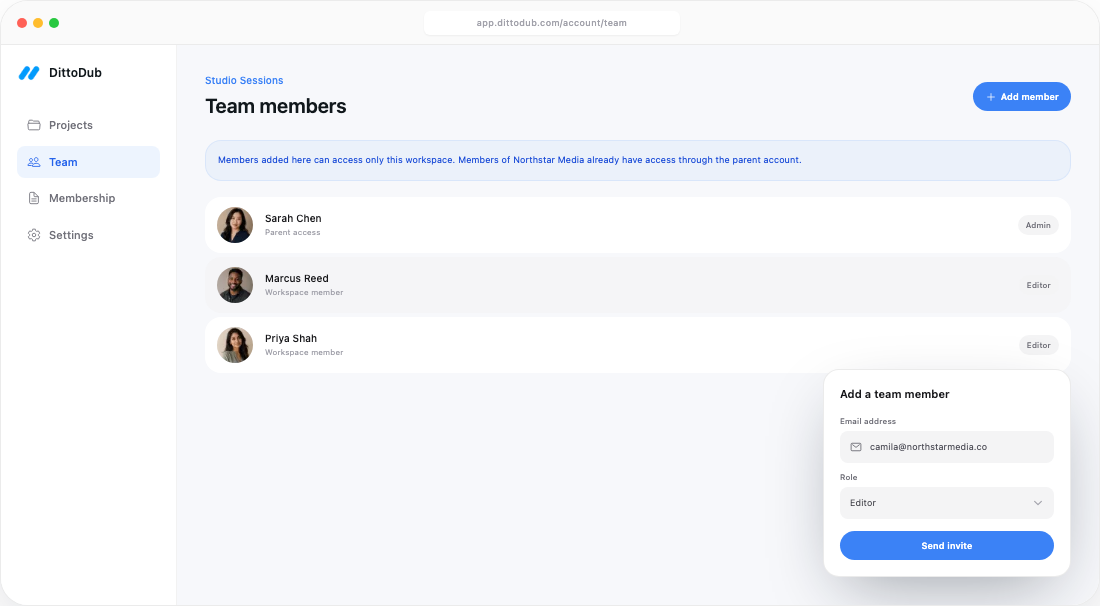
Add a channel or client team inside the workspace. They see only the work that belongs to them.
Access stays where it belongs
Workspaces use a simple parent-and-child structure. It is designed to give organization leaders a complete view without making every collaborator part of the whole organization.
- Members of the parent account can access the parent and every child workspace.
- People invited to a child workspace can access only that workspace.
- Each workspace has its own Team page and roles.
- Workspace notifications stay local unless a parent member chooses to receive them.
Separate billing by design
Billing is not a label added at the end of the month. Each workspace is a real billing account with its own subscription and monthly capacity. An admin inside that workspace can manage its billing without changing the parent account or another channel.
Separate subscription
Choose the monthly minutes that fit the workspace and adjust them as its needs change.
Separate usage
Projects and processing time are counted inside the workspace that created them.
Separate invoices
Finance receives a clean invoice for each billing entity, with no monthly sorting exercise.
Built to stay understandable
Workspaces support one parent-to-child level today. That keeps access, billing, and navigation easy to reason about, even as an organization adds more channels.
When a workspace is no longer active, an admin can archive it instead of deleting it. Its projects, team, usage, and billing history remain preserved. If it still has an active subscription, that subscription must be canceled before the workspace can be archived.
Made for the way networks actually grow
A creator network can give every channel its own operating lane. A studio can separate every client. A single channel can split standard uploads from members-only or behind-the-scenes content when the budget needs to stand on its own.
The result is simple: one organization to manage, with clean boundaries wherever the work, people, or books need them.