

How projects work

One project stores the source and every target language.
Project status, usage, language progress, and files stay under the same project ID.
Project
Secretly Riding Trains Across America
Source
English video
Video and transcript
Locales
Deliverables
Ways to use DittoDub
Plan the YouTube rollout before you dub
Connect the channel
Choose a YouTube integration so the plan uses that channel's catalog and performance data.
Set the language scope
Compare Current, Top 6, Top 12, and Top 42. Then add or remove languages to match the budget.
Build the first batch
Rank videos by projected gain or use the star shortcut to select the fewest videos needed for a target strength.
Read the result
Check each language's strength and the modeled growth multiple before starting paid dubbing.
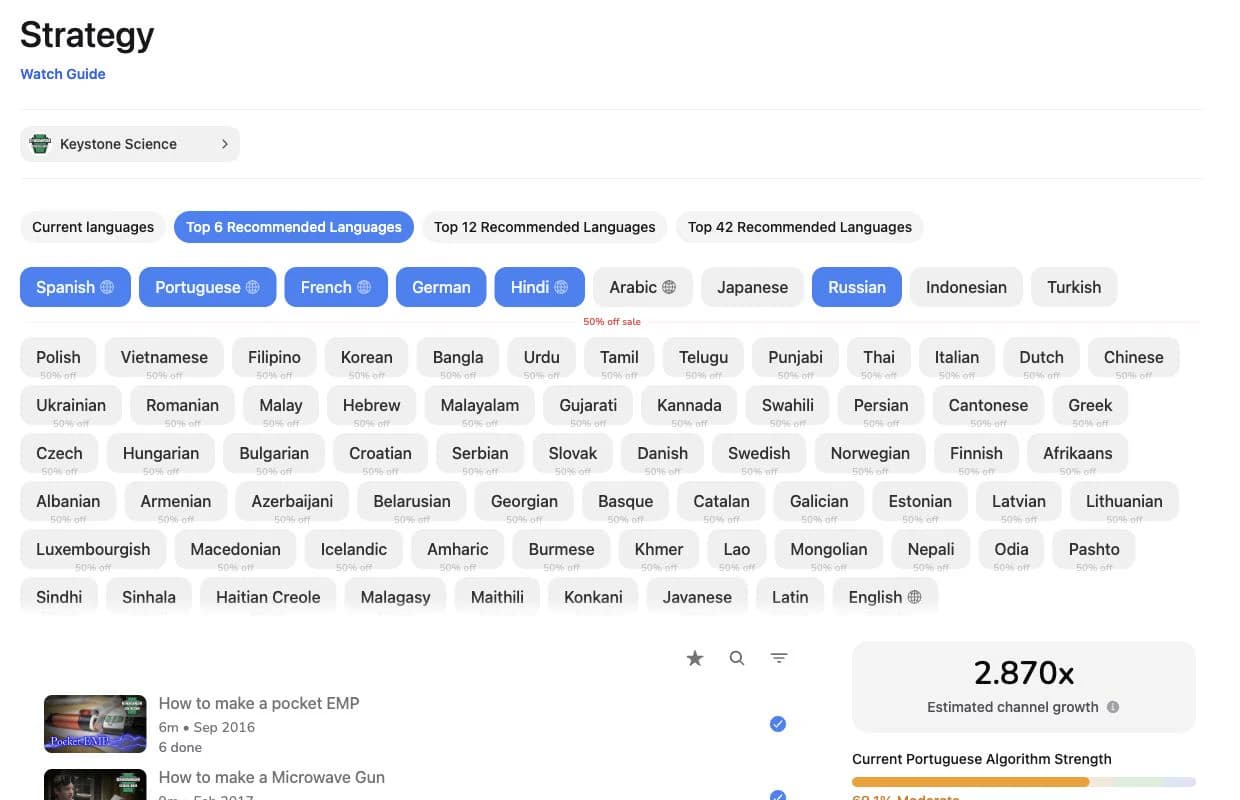
Shape the language plan
Presets make focused and broad rollouts easy to compare. They are starting points. Keep the languages that fit the channel and the amount of video you can support.
Algorithm strength
DittoDub's read on whether a language has enough momentum for YouTube to recommend its dubbed videos. The score changes as viewers respond.
Video gain
The percentage beside a video is its projected contribution to the selected language plan. Completed language work is counted separately.
Growth multiple
A modeled benchmark based on results observed across DittoDub channels and the strength of the selected languages. It is not a guarantee.
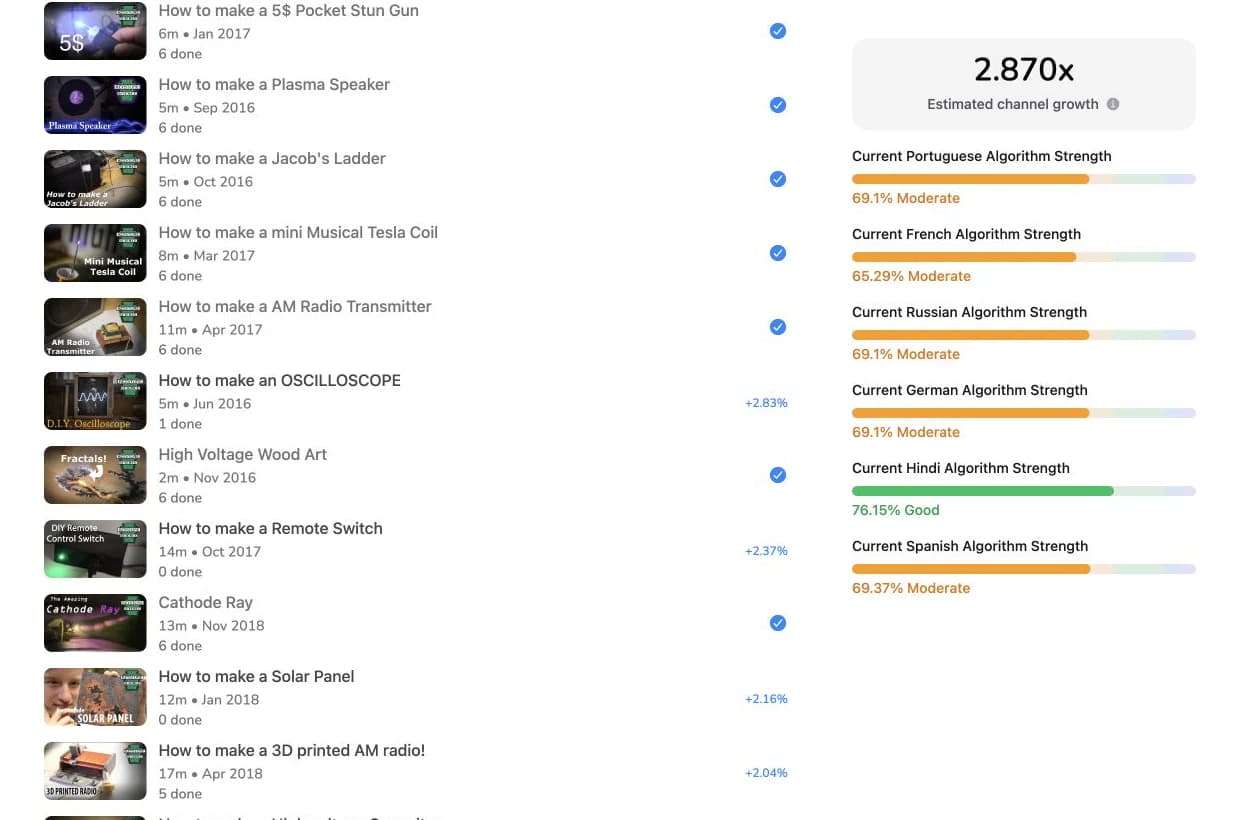
Choose depth before breadth
Strong evergreen videos can move several languages at once. If a market is still weak, add the right videos before adding another language.
Watch the Strategy guide
The walkthrough covers language presets, video selection, and how to read the strength panel. Running Strategy is free. Credits are used only when you start creating dubs.
Separate the work without separate logins
Plans and invoices
Use the parent plan or give the workspace its own subscription and invoices.
Access
Parent members can open every child workspace. People invited to a child see only that workspace.
One balance across DittoDub
The dashboard, API, and MCP use the same workspace credits. See rates for dubbing, speech, translation, and other services.